Hello from the Caribbean 🥥🌴🌺🌅🌊,
Continuing with the development of the AsBuiltReport.Veeam.VBR
report, this new version v1.0.1 brings significant improvements in two main areas: documentation of the High Availability infrastructure in Veeam Backup & Replication and the GUI tool (Start-AsBuiltReportVBR).
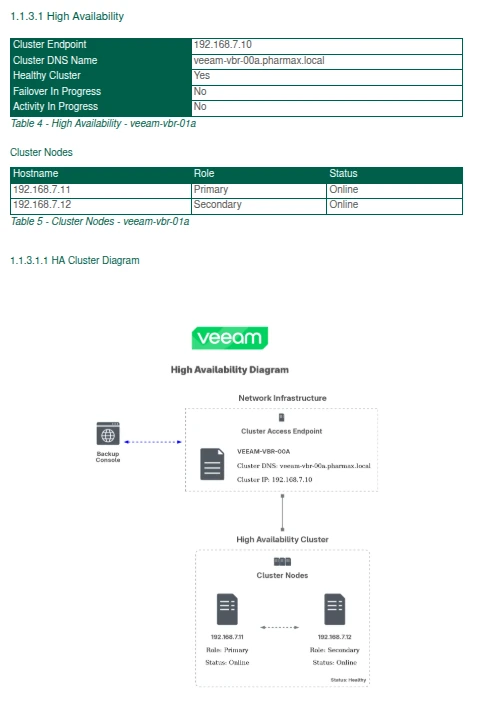
High Availability
One of the most notable additions in this release is the inclusion of High Availability configuration information in the report, along with a new High Availability Cluster diagram. This allows you to document and clearly visualize the components configured to ensure service continuity in Veeam Backup & Replication.
GUI Tool Improvements (Start-AsBuiltReportVBR)
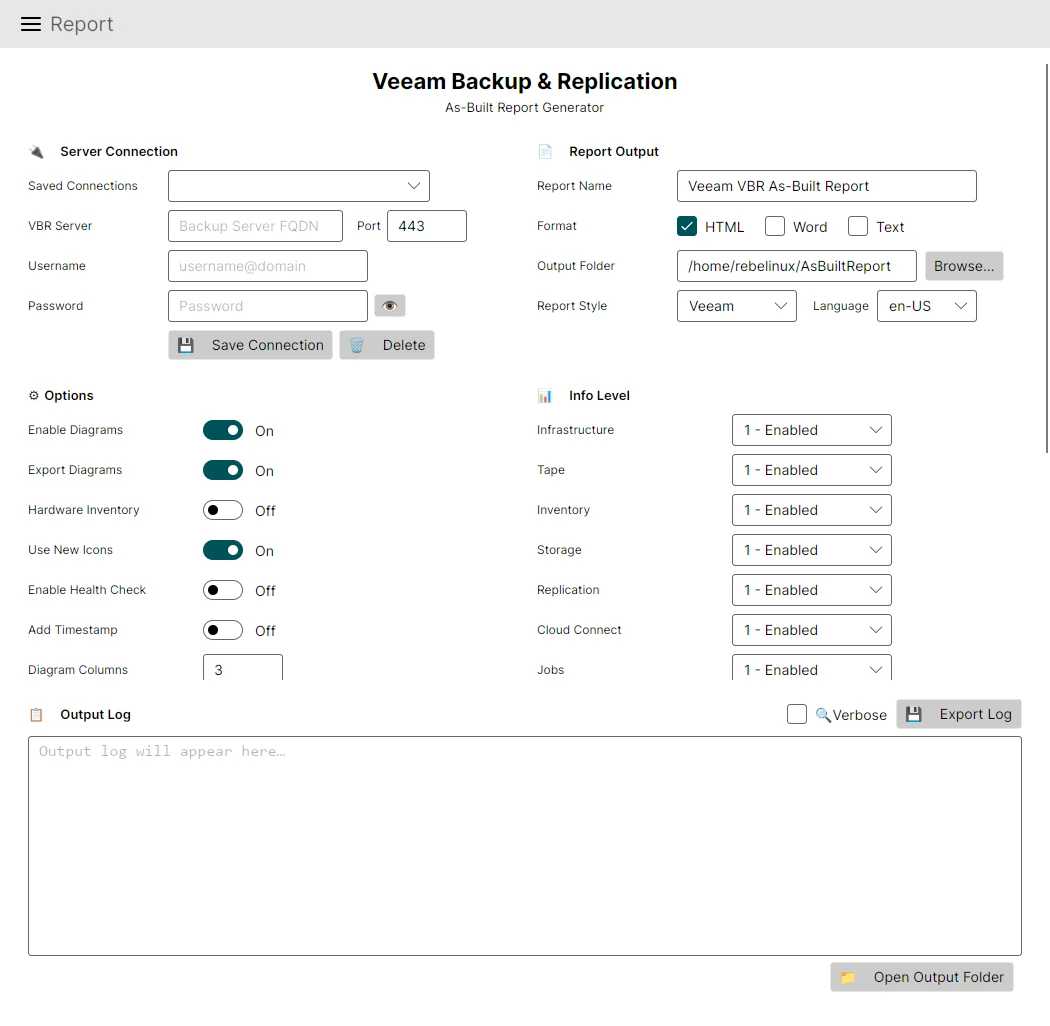
The Start-AsBuiltReportVBR GUI tool, introduced in version v1.0.0, receives several improvements in this release that enhance the user experience:
- Windows Task Scheduler integration: it is now possible to schedule report generation automatically using the Windows Task Scheduler directly from the GUI.
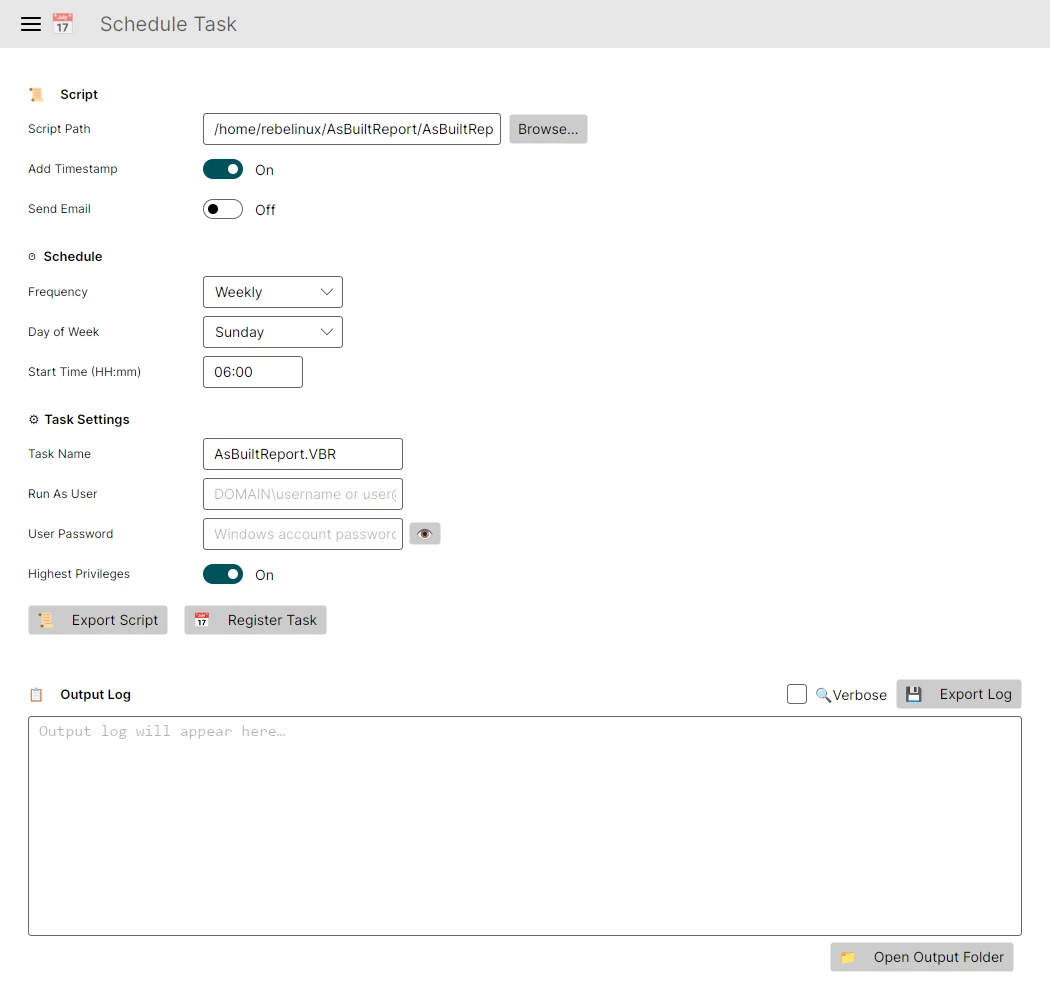
- Verbose logging button: a button was added to enable detailed logging during report generation, making troubleshooting easier.
- Open OutputFolder: an option was added to open the output folder (
OutputFolder) directly from the interface.
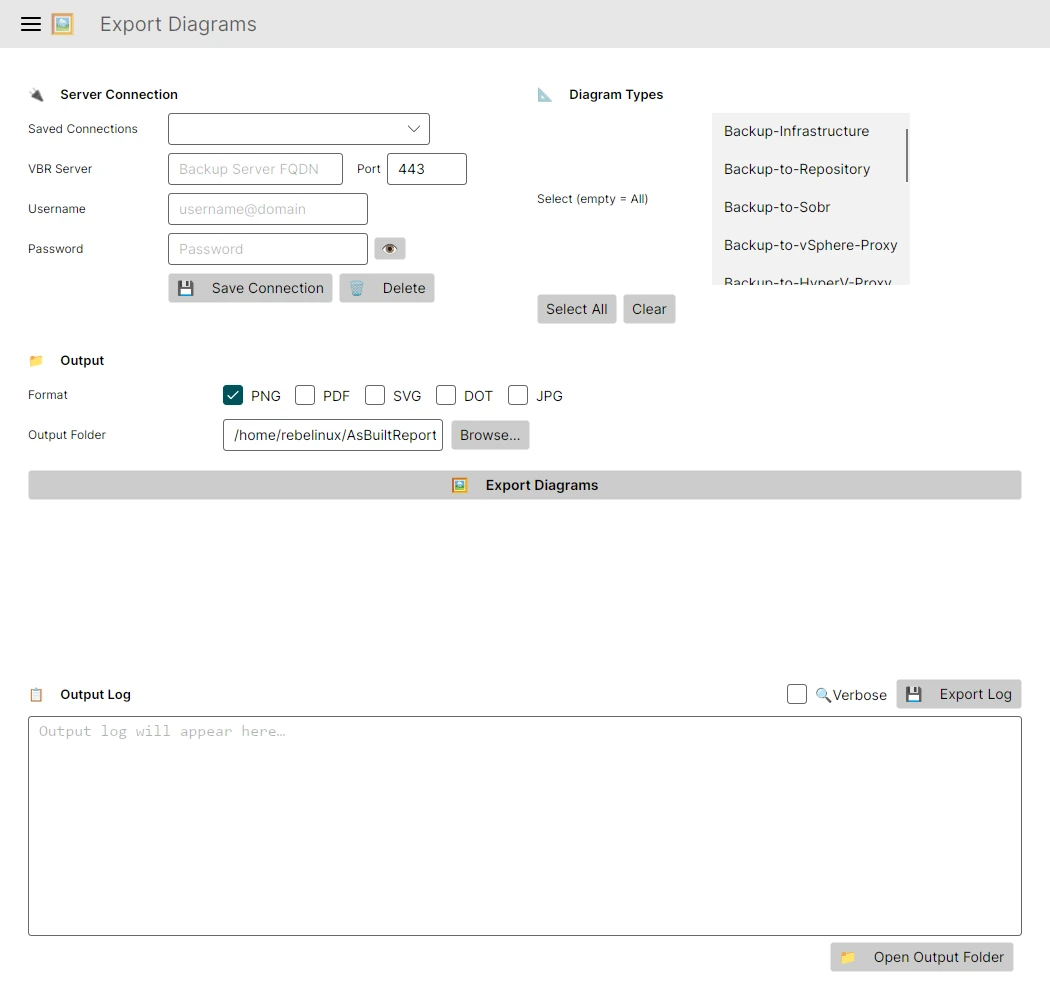
- Diagram-only export: it is now possible to export only the diagrams in different formats (PDF, PNG, SVG) without generating the full report.
New Cmdlet: Export-AsBuiltReportVBRDiagram
This release also introduces the Export-AsBuiltReportVBRDiagram cmdlet, which allows exporting the infrastructure diagrams independently from the report generation process. Below is a usage example:
# Export the infrastructure diagram in PNG format
$Creds = Get-Credential
Export-AsBuiltReportVBRDiagram -Target veeam-vbr.pharmax.local -Credential $Creds -Format PNG -OutputFolderPath 'C:\Users\Jon\Documents' -DiagramType 'Backup-Infrastructure'
To conclude, here are the additional changes and fixes included in this new version of the report:
## [1.0.1] - 2026-04-23

### :toolbox: Added

- Add required values to the AsBuiltReport.json configuration file for the GUI tool
- Add High Availability configuration information to the report
- Add High Availability Cluster diagram to the report
- Add the capability to schedule the report using Windows Task Schedule with the GUI tool
- Add Verbose logging button to the GUI
- Add the capability to open the OutPutFolder from the GUI
- Add the capability to only export the diagrams in different formats (PDF, PNG, SVG) from the GUI
- Add Export-AsBuiltReportVBRDiagram cmdlet to allow exporting the diagrams separately from the report generation process

### :arrows_clockwise: Changed

- Update module version to `v1.0.1`
- Update AsBuiltReport.Diagram module to `v1.0.6`
- Update the GUI tool by adding new features and improving the user experience

### :bug: Fixed

- Fix issue with the AsBuiltReport Global Configurator form not properly saving the new configuration file when using the GUI tool (Start-AsBuiltReportVBR)
All these new changes have been added to the AsBuiltReport.Veeam.VBR
report to improve documentation of the Veeam Backup & Replication infrastructure.
Example report
AsBuiltReport.Veeam.VBR Example Report
¡Hasta la Próxima!
I was recently contacted regarding the status of this project. Maintaining this report and the associated tools requires significant time and resources. If you would like to help keep this project active, please consider supporting its development by donating through Ko-fi.
